

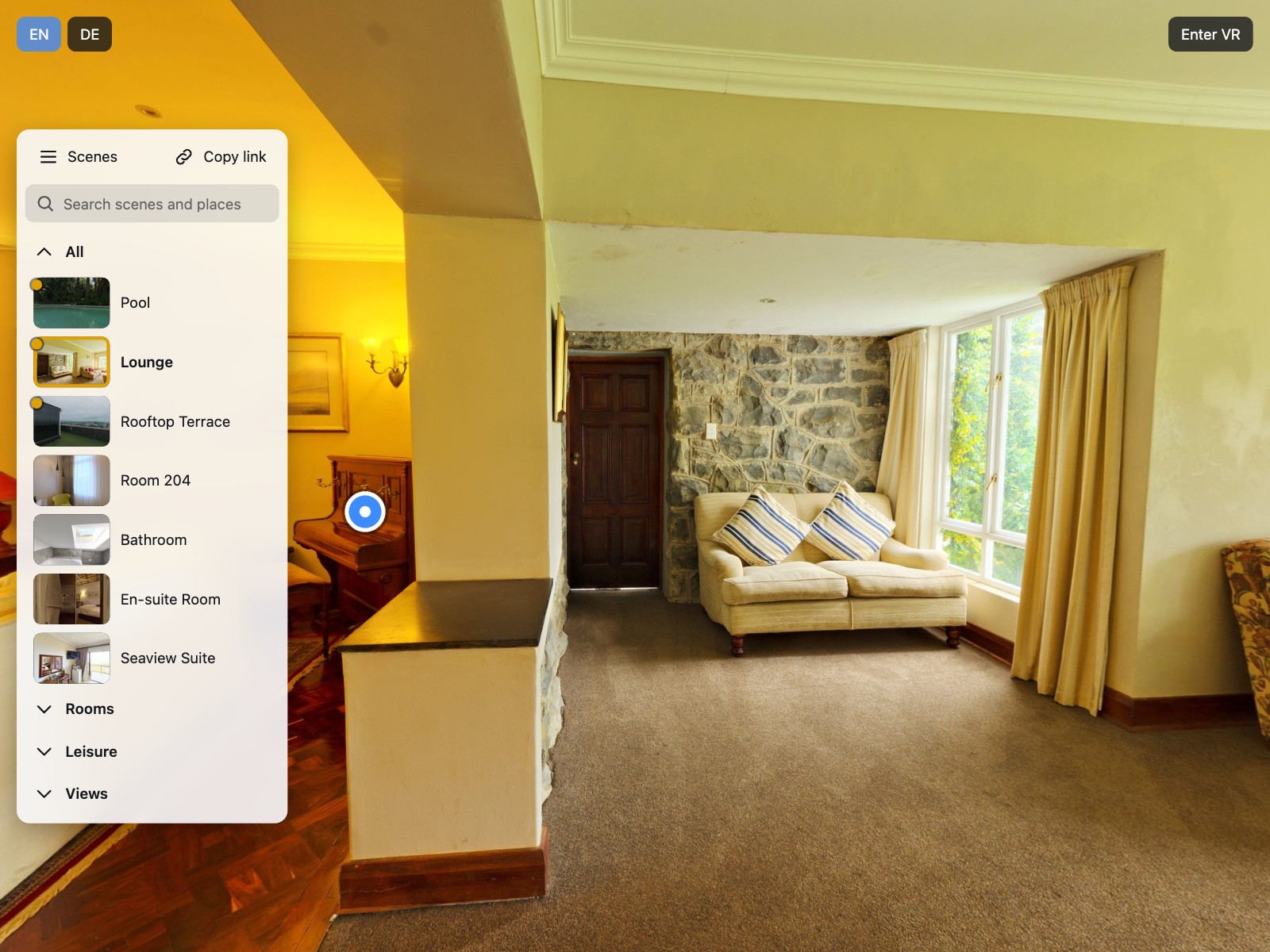
Visitors find what they look for
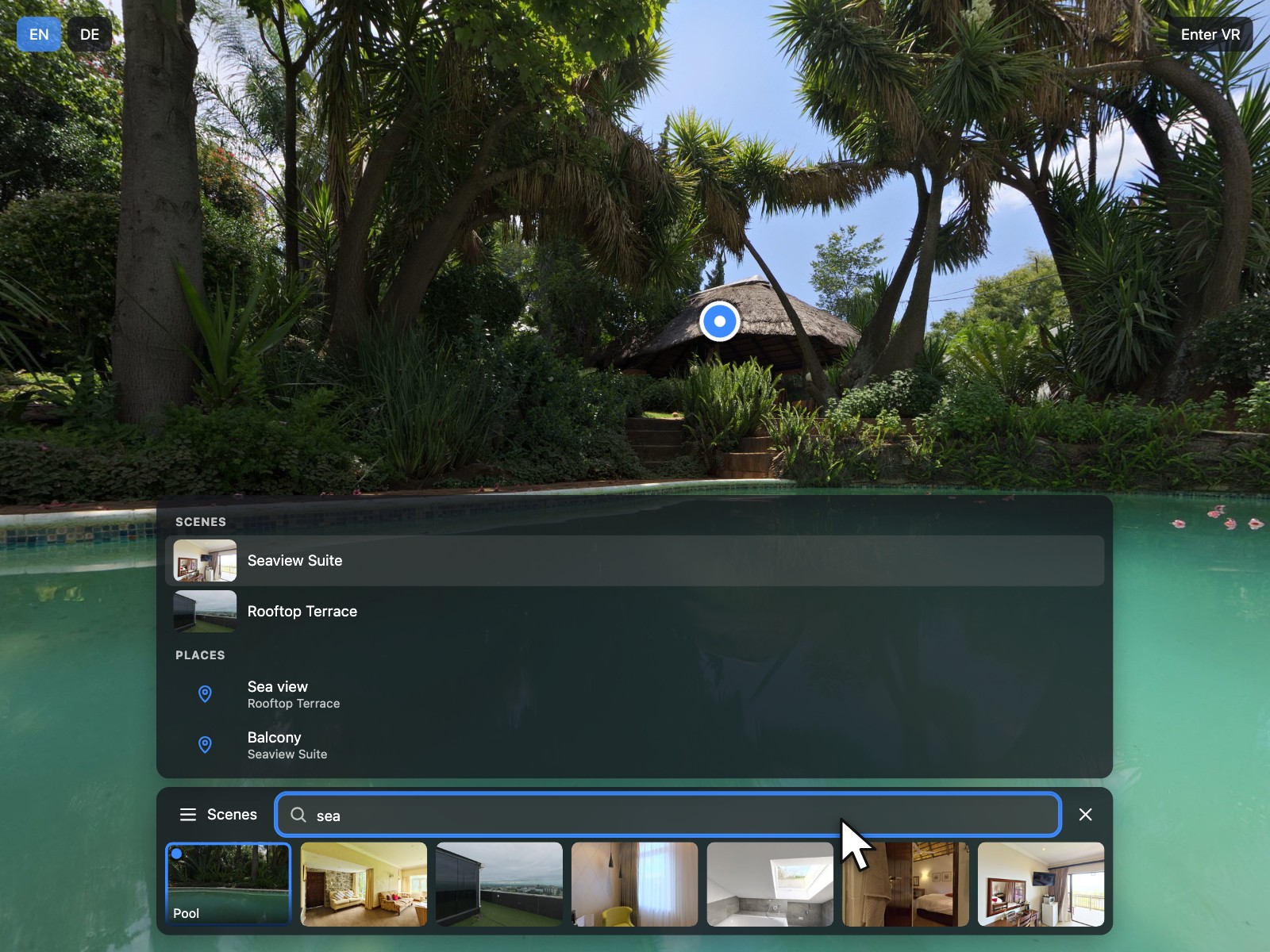
The search finds scenes and places by title, keywords and group, tolerates typos and accents and jumps straight to the place.
Preview — our store opens soon.
krpano Plugins
 krpano v1.0.0 New
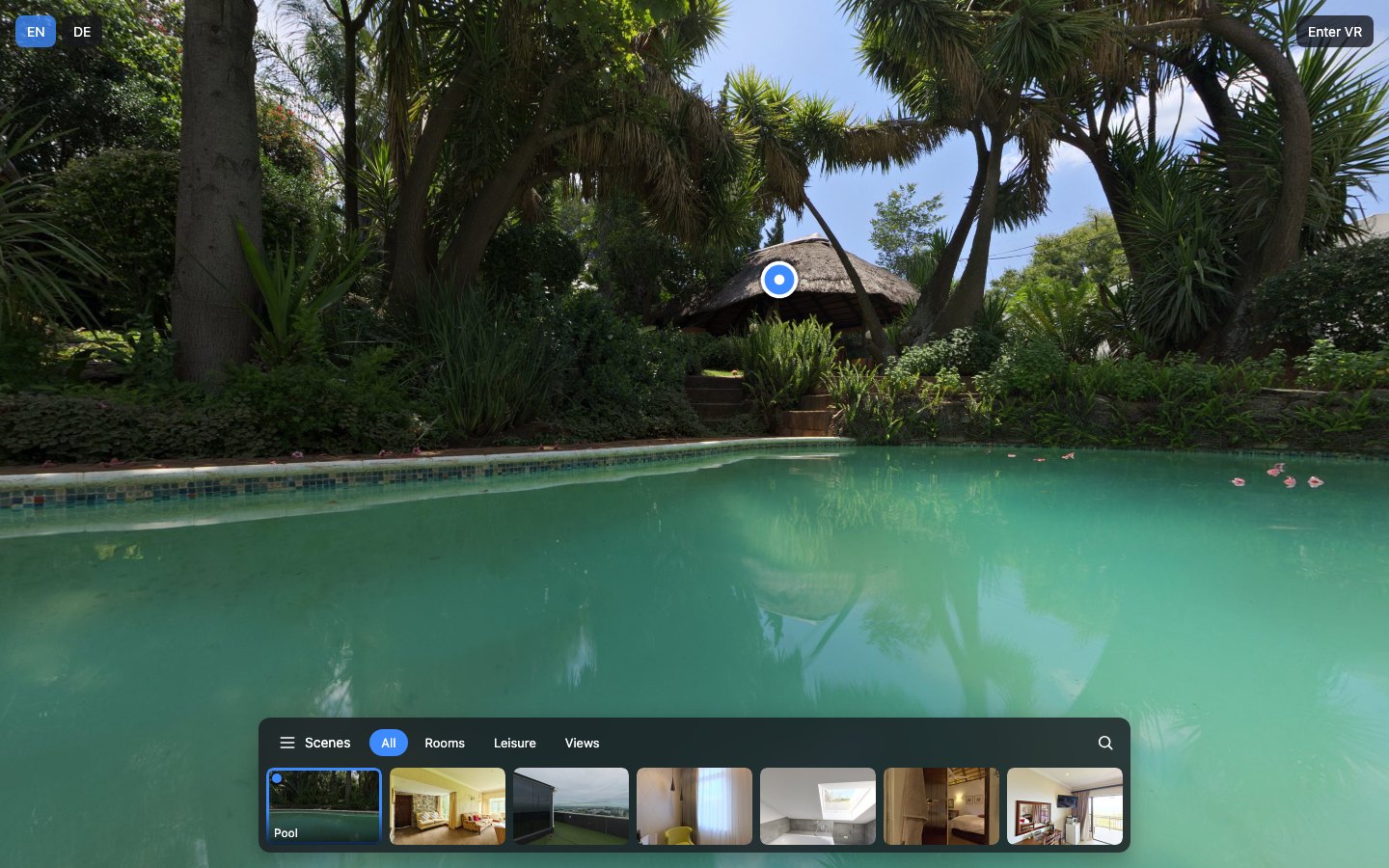
One scene menu for the whole tour: groups, a search across scenes and places, a mobile sheet and a VR panel.
Verified for krpano 1.23.2–1.24
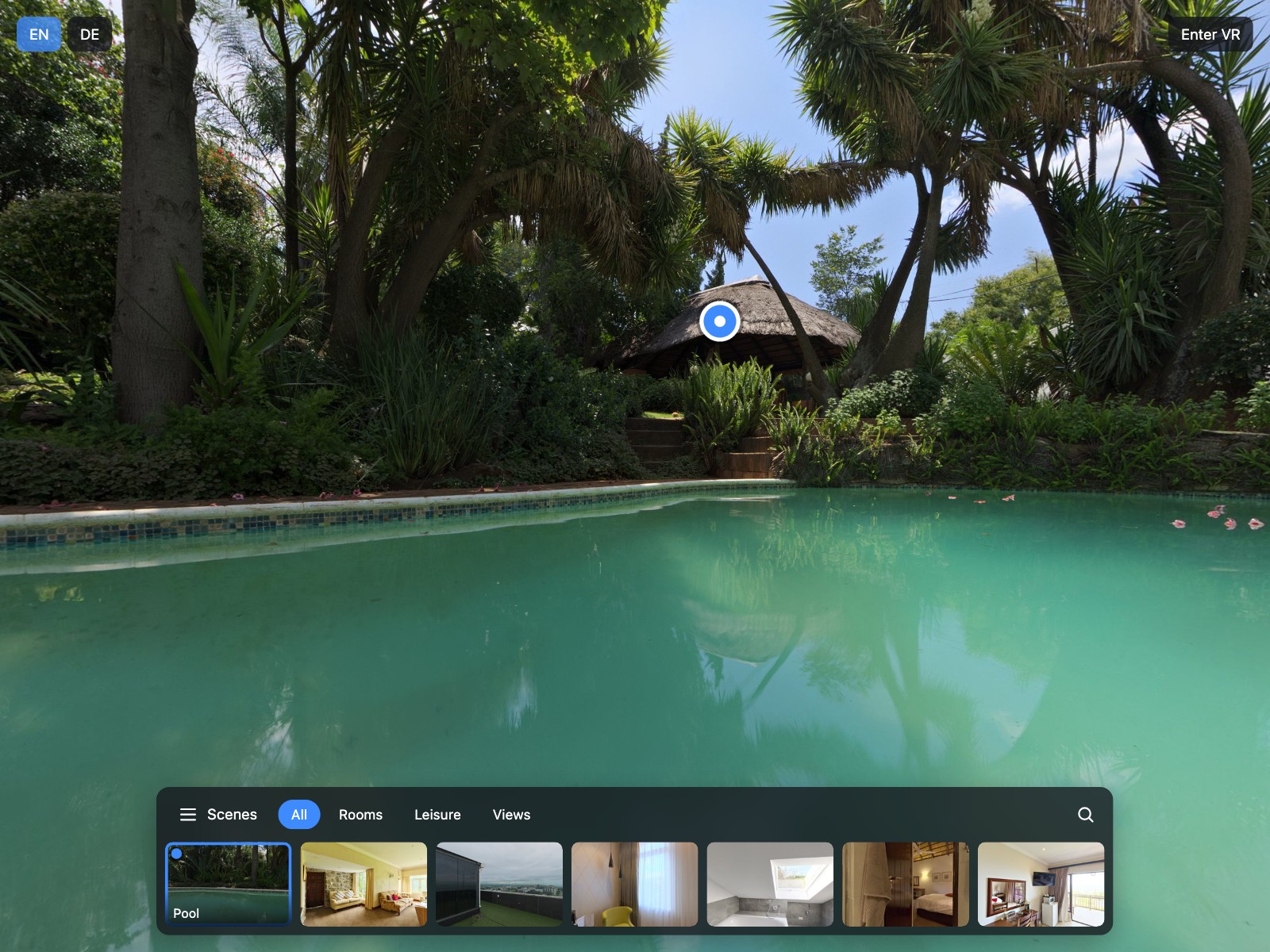
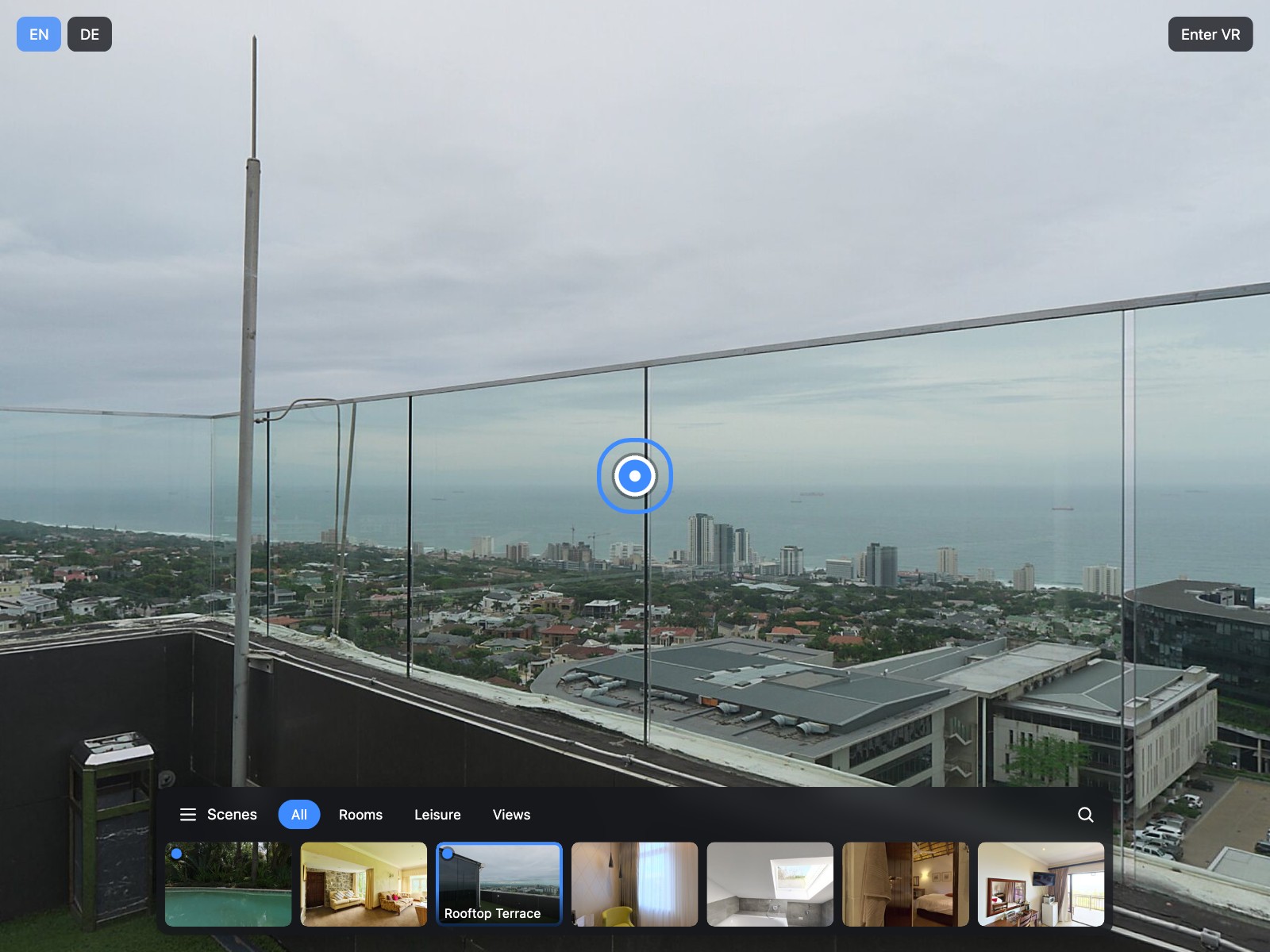
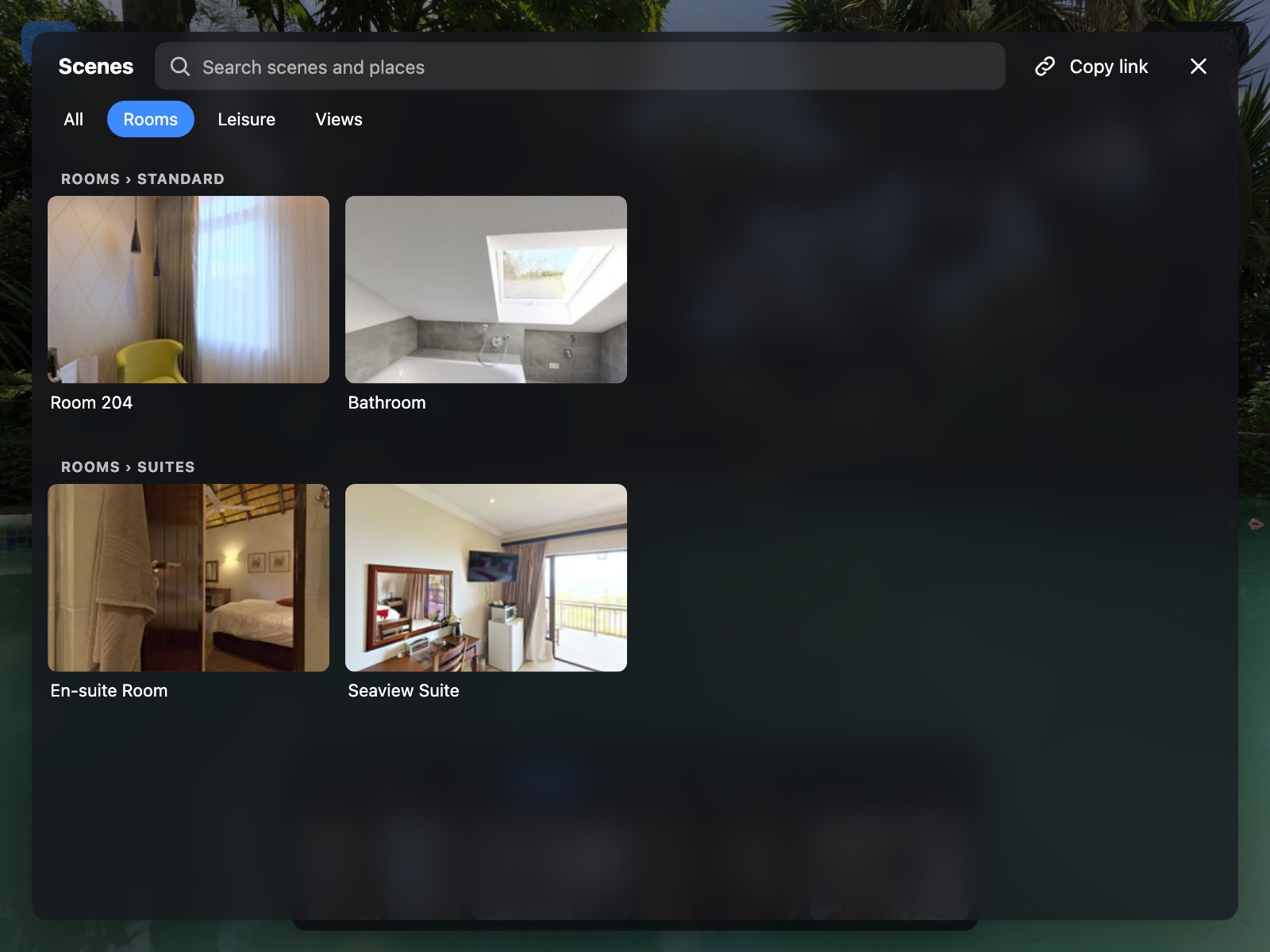
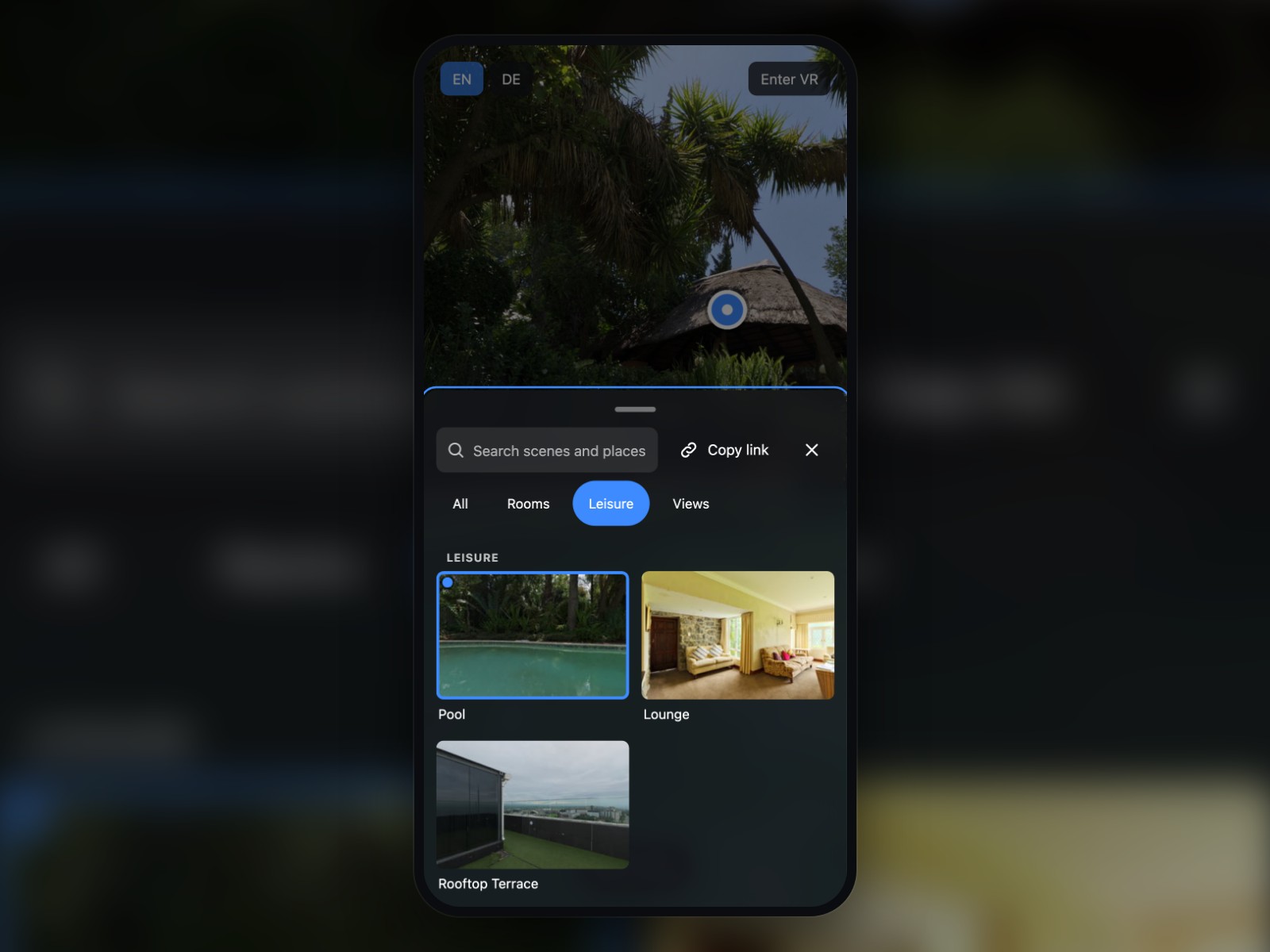
Tours with dozens of scenes need more than a row of thumbnails. Tour Navigator gives your krpano tour a thumbnail bar, a full-screen grid, a side list or a dropdown, a bottom sheet on phones and a panel in VR, all from the same groups. Visitors find any scene or marked hotspot by typing, even in scenes that have not been loaded yet, and every setting is an attribute of one XML element.
Put the encrypted plugin folder into your tour and add one layer element (and, optionally, one include) to your tour XML.
Optionally list groups, mark hotspots as searchable places and translate titles with the <languages> element you already use.
Pick a layout, colours and behaviour with attributes of the layer element; fine-tune radius, font and background with six CSS variables.
The search finds scenes and places by title, keywords and group, tolerates typos and accents and jumps straight to the place.
A bar, grid, side list or dropdown on desktops and a touch-friendly bottom sheet on phones.
Everything runs inside your krpano tour. Verified on krpano 1.23.2, 1.23.3 and 1.24 and made to work with other z360 plugins.
Set as attributes in your tour XML.
| Setting | Type | Default | Description |
|---|---|---|---|
active | Yes / No | true | Switches the navigator on or off at runtime; off removes every part of it. |
layout | List | bar | Layout on wide screens: thumbnail bar, full-screen grid, side list or dropdown. |
layout_mobile | List | sheet | On phones: a floating button with a bottom sheet, or the same layout as on wide screens. |
slot | List | auto | Screen place of the navigator; auto uses the bottom centre (side list: middle left). |
offset | Number | 16 | Distance from the screen edge in pixels. |
max_width | Number | 80 | Maximum width of the bar and the dropdown in percent of the viewer width. |
start_open | Yes / No | true | Whether the bar and the side list start expanded. |
exclude_scenes | Text | — | Scene names that are never shown or searched, separated by commas. |
groups | List | auto | How groups are shown: automatically per layout, as a drill-down, or not at all. |
group_all | Yes / No | true | Adds the group “All” with every scene; change its text with text_all. |
start_group | Text | current | Group that is active at the start: the current scene's group, all, or a group name. |
order | List | tour | Scene order: as in the tour XML or alphabetical by title. |
thumb_size | Number | 120 | Thumbnail width in pixels (60–240). |
show_visited | Yes / No | false | Marks scenes the visitor has already seen during this visit. |
prev_next | Yes / No | false | Adds buttons for the previous and the next scene. |
search | Yes / No | true | Shows the search. |
search_pois | Yes / No | true | Also searches hotspots marked as places, in every scene. |
search_hotkey | Text | — | Keyboard key that opens the search: empty (no key) or /. |
poi_action | List | lookat | What selecting a place does: turn to it, turn to it and run its click action, or only open its scene. |
poi_fov | Number | 70 | Field of view when turning to a place (10–140). |
blend | Text | BLEND(0.6) | Transition of scene changes started by the navigator, for example BLEND(0.6) or NOBLEND. |
deeplink | List | read | Reads a scene link at start; readwrite also keeps the current scene in the page address. |
copy_link | Yes / No | false | Adds a button that copies a link to the current scene and view. |
theme | List | dark | Dark or light colour scheme. |
accent_color | Color | #3D8BFF | Colour of the current scene frame, the active group and the focus ring. |
vr | Yes / No | true | Shows the VR panel in VR; false hides the navigator in VR. |
debug | Yes / No | false | Prints the number of scenes, groups and places to the browser console. |
text_scenes | Text | Scenes | Text “Scenes” on the button, headings and dialog; a <languages> key or literal text. |
text_all | Text | All | Name of the group with all scenes. |
text_other | Text | Other | Name of the group of scenes without a group. |
text_places | Text | Places | Heading of the places in the search results. |
text_search | Text | Search scenes and places | Placeholder and label of the search field. |
text_no_results | Text | Nothing found | Text shown and announced when nothing is found. |
text_back | Text | Back | Label of the back button. |
text_close | Text | Close | Label of the close button. |
text_prev | Text | Previous scene | Label of the previous scene button. |
text_next | Text | Next scene | Label of the next scene button. |
text_copy_link | Text | Copy link | Label of the copy link button. |
text_visited | Text | Visited | Text that screen readers announce for a visited scene. |
<include url="plugins/z360_scene_navigator/z360_scene_navigator.xml" />
<layer name="z360_scene_navigator"
       url="plugins/z360_scene_navigator/z360_scene_navigator.js"
       keep="true"
       layout="bar"
       show_visited="true"
       copy_link="true" />

<z360_scene_navigator_group name="rooms" title="Rooms" scenes="scene_room_204,scene_suite" />
<z360_scene_navigator_group name="leisure" title="Leisure" scenes="scene_pool,scene_lounge" />

<scene name="scene_lounge" title="Lounge" ...>
  <hotspot name="piano" ath="-62" atv="7" z360_scene_navigator_poi="Piano" ... />
</scene>
A magnifier lens for photos in krpano tours – with mouse, pen and touch.
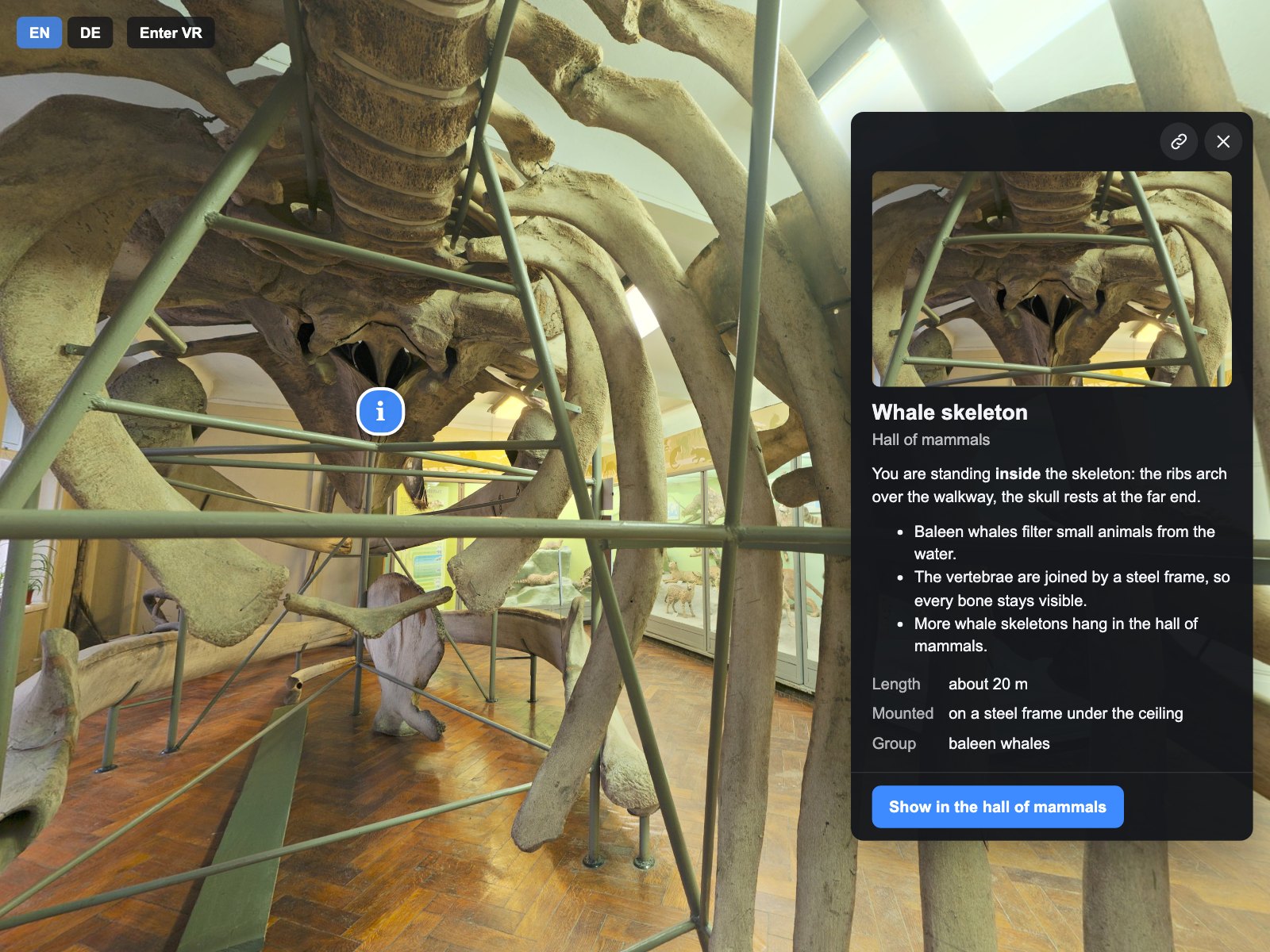
Information cards for your krpano tour: a side panel on desktops, a bottom sheet on phones and a welcome card, with photos, video, facts and buttons.
A lightbox for photos, MP4 videos and YouTube or Vimeo videos in your krpano tour, with zoom, swipe and a VR panel.